I prefer to work on ergonomic, split keyboards.
I started off with a Microsoft ergonomic keyboard. It was one long piece, with the left and right sections separated and slightly angled. It had a ten-key pad on the right.
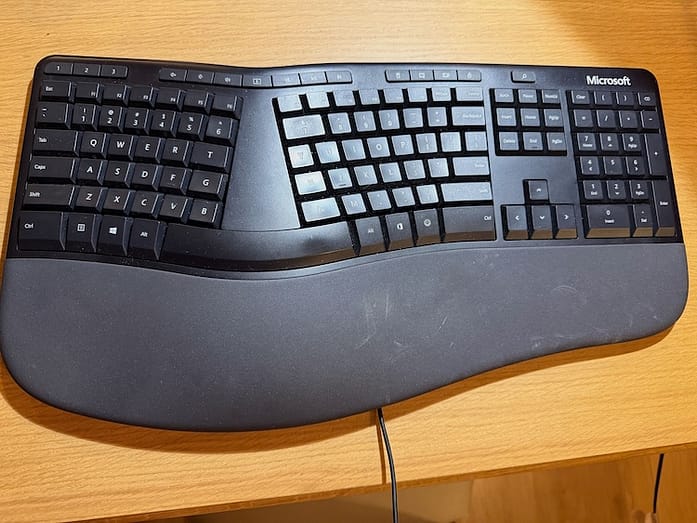
I don't even know why I still have this in my closet! Photo copyright Vanessa Kier 2026
Then I graduated to a Kinesis Freestyle Pro.
It had two separate pieces that could be raised to provide a more comfortable angle. There was no ten-key pad, to allow for closer mouse usage. Which didn’t affect me, since I use my mouse with my left hand.
I’d been happily using this until recently, when a few extra long writing sessions ended up with my wrists aching.
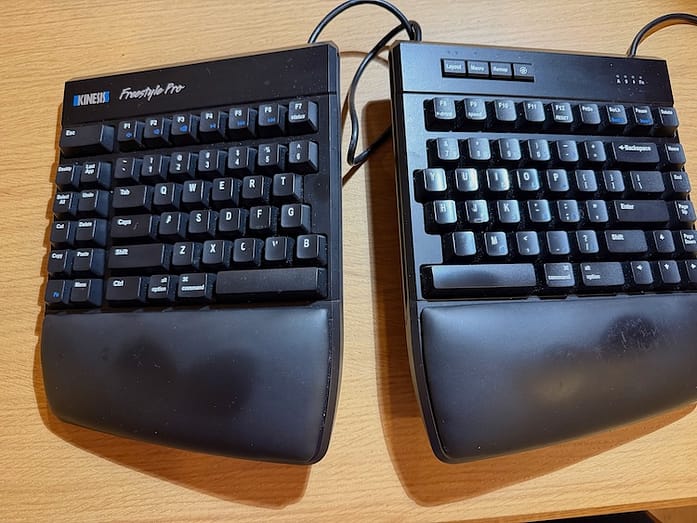
Photo copyright Vanessa Kier 2026
So I tried a more contoured keyboard, the Kinesis Advantage2.
The keys were set in a dip and some of the keys were higher than others to account for the different lengths of our fingers. It took me about a week or so to get used to the new key placement, particularly since things like the space bar, backspace, and enter were in what were called thumb clusters in the lower middle of the keyboard. I had to resort to doing old-school style typing exercises to familiarize myself with the new layout. Even then, it took a while before I stopped making so many typos.
I liked it, but I eventually decided that I needed more of a tilt for my wrists. So I returned it.
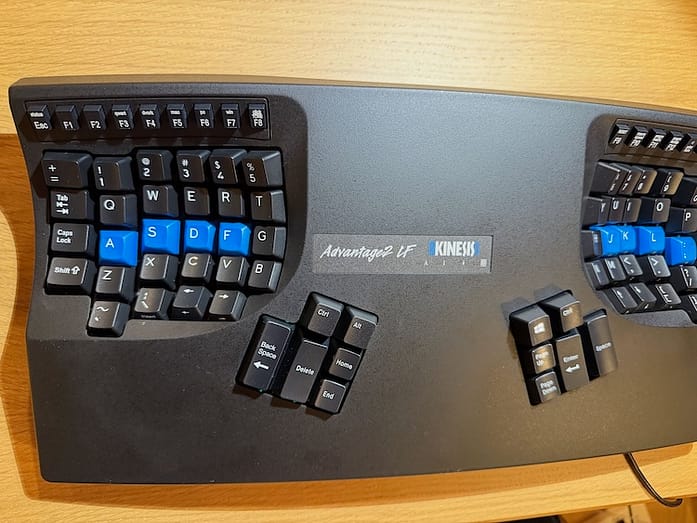
This took some getting used to! Photo copyright Vanessa Kier 2026
Now I’m trying out the Kinesis Advantage360. It’s a similar layout to the Advantage2, but there are two independent sections, like with the Freestyle Pro. There's adjustable tilt, which is easier on my wrists and forearms.
However, a few critical keys are in weird places. Like the Caps Lock being below the X and the ESC key being to the left of the A. So I'm going through yet another phase of re-learning how to type error-free (or relatively error-free, at least).
It's the quietest of all the keyboards, which I love. And the keys seem to need less pressure than with any of the others, which bodes well for my wrists.
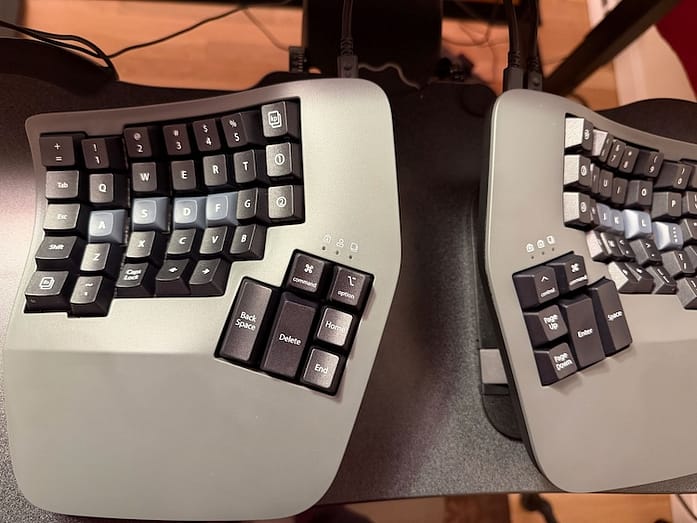
I'm still learning how to type on this one without making so many mistakes! Photo copyright Vanessa Kier 2026
Now, if I can just stop hitting those arrow keys sneakily placed below the last row of standard keys, I’ll be all set!